





Memory Cards for Every Camera Type
Memory and storage are the backbone of any photography or video workflow. Whether you're capturing moments at a wedding, recording a documentary, or managing a large archive of images, reliable memory cards and external drives ensure your files stay safe and your camera never runs out of space. At Samy's Camera, we stock professional-grade memory solutions from industry-leading brands, all tested and trusted by photographers and videographers worldwide.
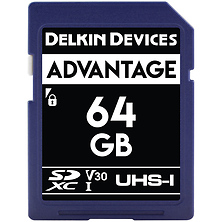
Memory cards are available in multiple formats to match your camera's specifications. SD memory cards remain the most widely used format, offering excellent speed and capacity for both photography and 4K video. CFexpress cards deliver the fastest performance for high-bitrate video recording and burst photography, while Sony cameras rely on proprietary formats optimized for mirrorless workflows. Compact Flash and XQD cards serve legacy systems and specialized cinema equipment.
Speed class ratings tell you how quickly data writes to the card. UHS-II and UHS-III interfaces enable sustained performance for sustained burst shooting and 8K video capture. Whether you choose cards from trusted manufacturers like SanDisk, Lexar, or ProGrade Digital, verifying your camera's card slot compatibility ensures seamless operation in the field. Digital mirrorless cameras and digital cinema cameras drive different storage demands based on recording format and bitrate requirements.
Memory Card Types & Specifications
- SD (Secure Digital) cards in standard, HC, and XC capacities for DSLR and mirrorless systems
- CFexpress Type B cards with PCIe speeds up to 1700 MB/s for professional video
- XQD format cards supporting legacy cinema cameras and specialized rigs
- MicroSD adapters for portable and action camera workflows
Which Memory Card Is Right for You
Photographers shooting bursts need fast UHS-II or UHS-III cards to sustain high frame rates without buffer lag. Videographers recording 4K or higher must prioritize sustained write speeds to prevent dropped frames. If you're archiving images long-term, cards with proven reliability from established manufacturers offer peace of mind. Budget-conscious photographers benefit from mid-range cards, while professionals working on paid assignments invest in premium options with superior durability and warranty coverage. Action camera and drone users, such as those shooting on GoPro or DJI, rely on compatible high-speed cards rated for sustained 4K and higher capture.
External Storage & SSDs
External drives extend your storage capacity far beyond camera cards and free up space for fresh captures. Portable SSDs offer speed advantages over traditional hard drives, making file offloading and backup faster on location. Hard drives from trusted brands provide larger capacities at lower costs, ideal for studio backup and archival. RAID systems add redundancy for mission-critical work, ensuring your images survive hardware failure.
When selecting external storage, consider your workflow. If you offload images during long shoots, a fast SSD justifies the investment. If you backup files at the end of each day from your studio, a traditional hard drive delivers cost-effective capacity. USB-C connectivity ensures compatibility with modern laptops and tablets, while Thunderbolt 3 provides even faster transfer speeds for time-sensitive projects. Photographers protecting their work alongside camera bags and protective gear establish comprehensive backup strategies.
Storage Solutions for Different Workflows
- Portable SSDs for on-location backup and travel photography
- Desktop hard drives for studio-based archival and long-term storage
- RAID enclosures for redundant backup on critical assignments
- Pocket USB drives for quick file transfers and portable archives
- Media readers and adapters for multi-format card management
Storage Capacity & Transfer Speed
Capacity ranges from 256GB portable drives to 12TB and beyond for desktop solutions, accommodating everything from weekend trips to large production archives. Transfer speeds vary by connection type: USB 3.1 drives reach 400 MB/s, while Thunderbolt systems exceed 1200 MB/s. Match your capacity needs to your shooting volume and your transfer speed to your editing timeline. A 2TB portable SSD is ideal for traveling photographers, while studio professionals may prefer 8TB or larger for centralized backup. Many videographers pair storage with video monitors for on-set file management.
Frequently Asked Questions
How much storage capacity do I really need?
Storage needs depend on file size and shooting volume. Professional RAW photography generates 30-50 MB per image, meaning a 256GB card accommodates 5,000 to 8,000 frames. A wedding photographer might shoot 2,000 to 5,000 images, requiring one or two 256GB cards plus backup external storage. Video is more demanding: one hour of 4K at 100 Mbps consumes 45GB. Estimate your daily output and maintain at least twice that capacity in available cards and drives.
What's the difference between UHS-II and UHS-III memory cards?
UHS-II cards support up to 312 MB/s sustained write speed, suitable for HD and 4K video with moderate bitrates. UHS-III doubles that to 624 MB/s, essential for 8K recording and extreme burst photography. Both work in any SD card slot, but you only achieve maximum speed if your camera's card reader supports that standard. Check your camera's specifications to know which class benefits your workflow.
Are SSDs safer than hard drives for long-term backup?
Both SSD and hard drive reliability depends on manufacturing quality and storage conditions, not technology type. Premium SSDs and hard drives from established brands offer similar longevity when stored properly. SSDs are more durable for portable use and withstand vibration well. Hard drives cost less per gigabyte and work well for stationary backup. Regardless of type, store backups in a cool, dry environment away from strong magnetic fields, and verify backups periodically.
Can I use the same memory card for both photography and video?
Yes, but video imposes stricter speed requirements. A card rated for photography might experience dropped frames during 4K recording. Video cards need minimum sustained write speeds, typically listed as "V60" or "V90" (60 MB/s or 90 MB/s sustained). If you alternate between photo and video, choose a card meeting both requirements, such as a UHS-III V90 card, ensuring reliable performance in both scenarios.
What format should I use for my memory cards?
Always format cards in your camera, not on a computer. In-camera formatting optimizes the card's file structure for that specific camera model and prevents compatibility issues. When transferring files, copy everything to your computer and external backup before reformatting. Never reformat a card while files are being transferred, as interrupting the process can corrupt the card.
Should I back up to the cloud instead of external drives?
Cloud backup and local external drives serve different purposes. Cloud services offer accessibility from anywhere and protection against physical loss, but upload speeds can be slow for large image libraries. External drives provide faster transfers and work reliably even without internet. The best approach combines both: maintain local backups on fast SSDs or hard drives for daily work, then back up those drives to cloud services for additional redundancy. Photography professionals typically use both methods to ensure no single failure point jeopardizes their work.
Shop Memory & Storage at Samy's Camera
Samy's Camera stocks memory and storage solutions for every imaging format and budget. From fast CFexpress cards for professional video to reliable external drives for archival, we carry trusted brands at competitive prices. Our staff has tested these products in real-world shoots, and we stand behind every recommendation. Browse our complete selection, compare specs, or visit one of our store locations for personalized guidance on building your storage strategy.